Support
Flight Display Pro for Android and Wear OS
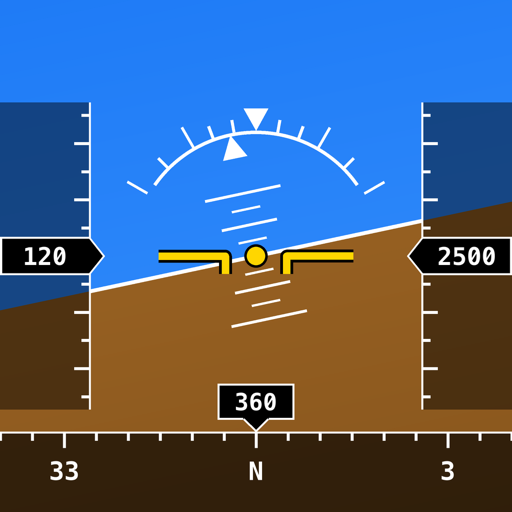
Flight Display Pro draws an aircraft-style primary flight display (PFD) and navigation display (ND) from your device's own sensors. It needs Android 8.0 or later on a phone and Wear OS 3 or later on a watch.
Contact
For questions, problems or feedback, email me:
It helps to include your phone or watch model, the Android or Wear OS version, and a screenshot if something looks wrong.
Purchases and subscriptions
How does the free preview work?
The phone app gives 30 minutes of full use for free. Time counts only while the display is running in front, and the remaining time shows in red beside the round key in the top-right corner of the PFD. After that, and always on a Wear OS watch, the display is locked until you buy a pass or a Pro subscription in the phone app.
What is the difference between a pass and Pro?
A pass (2 days or 7 days) is a one-time purchase that does not renew. It starts when you buy it, or when your current pass ends if you buy early. Pro (weekly, monthly or annual) renews automatically until you cancel. A pass does not extend a Pro subscription. Current prices are shown on the store page in the app: tap the round key in the top-right corner of the PFD.
A pass stays on the device it was bought on: it does not move to a new phone or survive deleting the app. A Pro subscription does, through Google Play.
I bought on my phone but my watch is still locked
Open the phone app with the watch nearby, then press REFRESH on the watch. The phone and the watch must be paired, and the app must be installed on both. If the watch says "Phone not in reach", bring the two closer together and try again; "No purchase found on the phone" means the phone app has no active pass or subscription. Purchases can only be made on the phone.
How do I manage or cancel Pro?
In the Google Play app, go to Payments & subscriptions › Subscriptions.
How do I get a refund?
Payments and refunds are handled through Google Play. Request a refund there.
Does the app work without a connection?
Yes. The app works fully offline, and a paid pass or subscription stays unlocked when Google Play cannot be reached.
Using the display
How should I hold or mount the device?
Hold the phone upright like an instrument facing you, or turn it to either landscape. Read the watch face up with the 12 o'clock edge pointing forward. A watch on your wrist shows the attitude of your arm, so the display only means something when the device is fixed to a mount.
The horizon is not level when my device is mounted
Long press the PFD for a second to store the current attitude as level. The setting is kept between launches and survives turning the phone. Double tap to clear it.
The GPS instruments show GPS OFF or no fix
The app asks for location access once. If it was declined, the GPS instruments show GPS OFF and everything else keeps running; allow precise location for the app to bring them back. For speed and GPS altitude, move somewhere with a clear view of the sky until the status corner shows GPS 3D.
The status shows CAL MAG or the heading is wrong
The magnetometer needs calibration: move the device in a figure-eight until CAL MAG clears. Magnetic heading is also disturbed by metal and electronics nearby, such as in a cockpit or a car.
The display shows STANDBY
Sensors run only while the app is in front. Leaving the app stops them; reopen the app to resume. On the watch the screen is held on while the display runs, and there is no always-on mode.
The altitude is wrong on an airliner
ALT B is barometric altitude from the device's pressure sensor, so in a pressurised cabin it shows cabin altitude, not the aircraft's. ALT G is GPS altitude. The speed tape always shows GPS ground speed; a phone or watch has no airspeed source.
How do I use the navigation display?
On the phone the ND sits below the PFD, or beside it in landscape; the − and + keys change the range from 5 to 160 NM. On the watch, swipe left on the PFD to bring in the ND and swipe right to go back; turn the crown to change range, and tap the band at the foot of the map for the layer keys.
Why does the ND show NAV DATA 2013.10 in amber?
Waypoints and airways come from a public data set dated 2013, and the amber label is a reminder that they may be out of date. The navigation database is bundled in the app and is for illustration only. Its sources, their licences and the script that builds it are on the navigation data page.
The battery drains quickly
GPS, motion sensors updating many times a second and a lit display use a lot of power. This is expected; use a charger for longer sessions.
Privacy
The app collects no personal data and makes no network connections. See the Privacy Policy.